

Themes
Theme V5
V5 · Marketplace
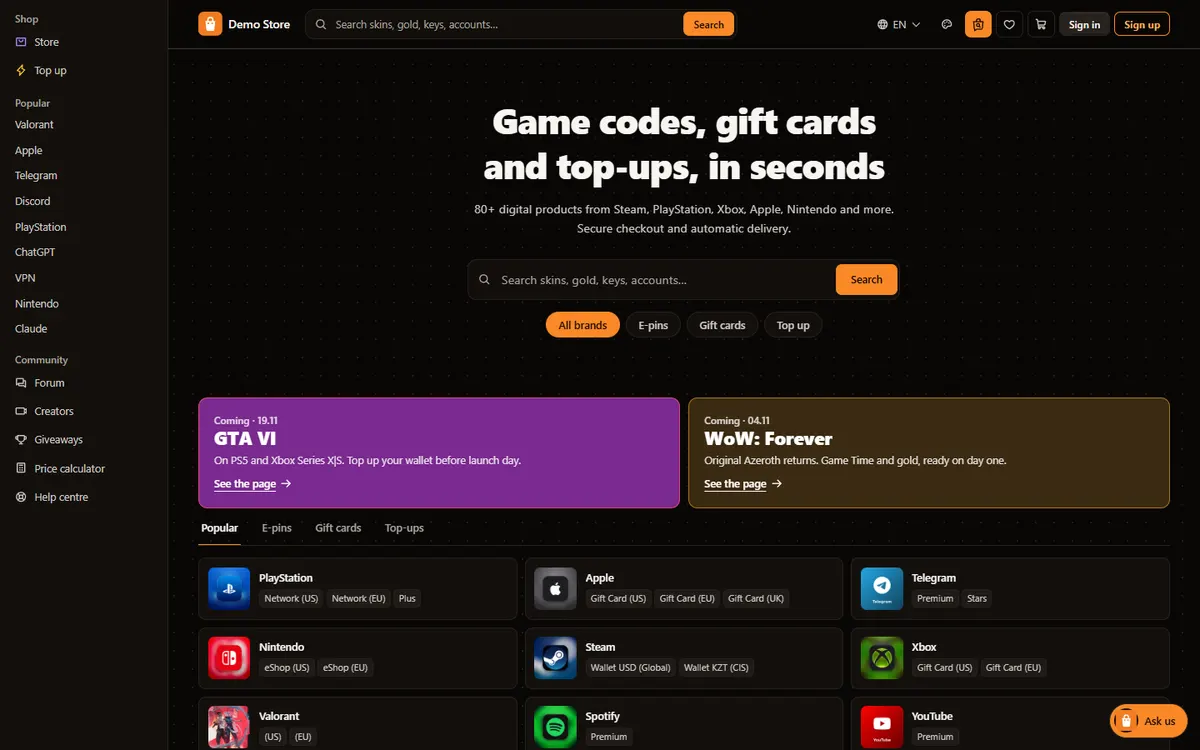
Side navigation and a search instead of a banner.
Description
A marketplace layout: navigation in a column down the left, a headline and a big search instead of a banner, and the catalog as rows with region chips. Made for stores where buyers come to search, not to browse banners.
What makes this theme different
- Header
- Navigation in a column on the left; search and account on top
- Footer
- Everything in one wrapped line
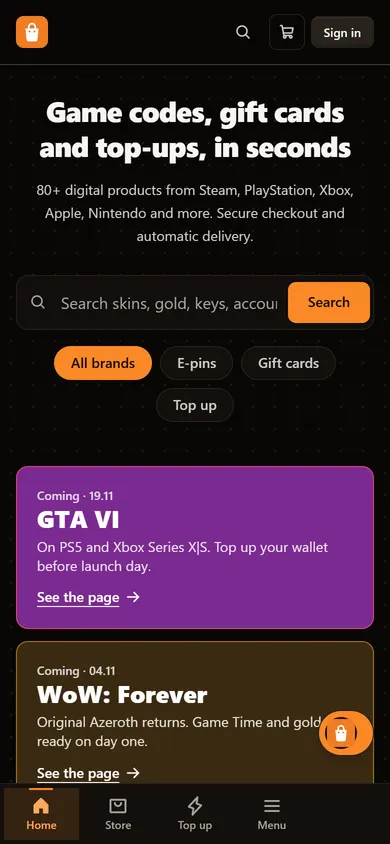
- On a phone
- Bottom bar with the store sections
- Opens in
- dark mode (light mode one tap away)
Home page blocks
- Headline and big search
- Game shelf
- Two launch banners
- Catalog rows in tabs
- Short value statements
- Two promo banners
- Player marketplace
- "Start here" answers
- Trust strip
- FAQ
In every theme
- "Your look" panel: light or dark, accent color, corners, card style and text size
- All storefront languages, right-to-left for Arabic
- The same catalog, checkout, wallet and reseller features
Pages included
- Home page
- Store and category pages
- Brand pages with regions and packs
- Product pages
- E-pins, gift cards and game top-ups
- Cart and checkout
- Sign in, registration and account with orders
- Wallet and balance top-up
- Favorites
- Help center and activation guides
- Giveaways
- Creators (streamer codes)
- Price calculator
- Forum
- About and contact
- Legal pages
- Player marketplace (Kavia Max)
- Blog
Technical details
- Built with Next.js on the Kavia Commerce backend (NestJS, PostgreSQL)
- Multi-language storefront with hreflang, per-language titles and sitemaps
- Structured data for products and breadcrumbs
- Mobile-first: phone layout, bottom tab bar, 44px tap targets
- Content Security Policy and security headers
- Images load lazily as the visitor scrolls
- Switch themes from the admin panel without a redeploy
- Visitors can preview any theme just for themselves
FAQ
Can I change the theme later?
Yes. The theme is a setting in the admin panel; your catalog, orders and customers stay the same when you switch.
Can I use my own colors and logo?
Yes. Every theme takes your logo, name and accent color, and visitors can still pick light or dark mode.
Does the theme change for my visitors when I preview it?
No. Opening the demo with a theme sets a preview cookie only in your browser.
Let’s talk about your project
Tell us briefly what you need. We usually reply within one business day.